
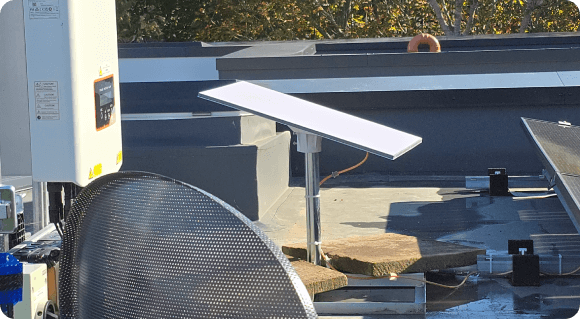
What Is The Difference Between Starlink Residential and Residential Lite?
Staring at a spinning screen while trying to join a work call is a nightmare, especially when you live miles from the nearest town. Everyone wants to know the main difference between Starlink Residential and Residential Lite before they commit their hard-earned money to a brand new system. It’s easily the single biggest question we get asked by frustrated homeowners every single day.
The short answer really just comes down to who gets priority when the local network gets heavily jammed up with traffic in the evenings. The standard package gives you VIP access to the bandwidth, while the cheaper option puts you in the regular lane with everyone else. Both will get you online and browsing, but your evening download speeds might vary depending on your neighbours.
The brilliant thing is that you don’t even need different hardware for the cheaper tier, which surprises a lot of people. You get the same motorized dish and indoor router delivered to your door regardless of what you pay monthly. The speed limits and priorities are entirely managed by the software on the provider’s end, keeping the setup incredibly simple.
The Nightmare of Rural Irish Broadband: A Starlink Plans Comparison
Let us be totally honest for a minute about the grim state of connectivity outside the major Irish cities. If you live down a quiet lane in Kerry or out near the coast in Donegal, your internet options have probably been terrible for years. You pay a fortune for old, degraded copper lines that seem to drop out the second a heavy rainstorm rolls in from the Atlantic.
While the big national broadband rollout is slowly making its way across the country, you cannot sit around waiting years for fibre cables. You need a rock-solid, dependable connection today to keep your remote job going and keep the kids entertained during the wet weekends. That is exactly where modern satellite technology steps in to solve the rural connectivity issue.
To figure out your best escape route from the terrible internet, we need to do a proper Starlink plans comparison right now. By looking closely at how the standard Residential package stacks up against the cheaper Residential Lite option, you can find your perfect fix. Let’s weigh up the speeds, costs, and network priority limits to see which tier will finally get your rural home properly connected.
Stepping Away From the Old Cables
That is exactly why these high-tech satellite dishes are popping up on roofs and gable ends all over the country right now. The technology beams the broadband signal straight from space down to your property, bypassing all the broken local infrastructure entirely. You aren’t relying on a rusted mast three fields away or a dodgy wire snapping in the wind during a winter gale.
It’s a completely standalone setup that just works out of the box, even if you are located right in the middle of a bog. It has been a total game-changer for the agricultural community, allowing farmers to run high-definition calving cameras without a single stutter. It finally brings modern internet speeds to places that the old telecom companies completely forgot about.
Looking at the Premium Standard Option
So, let’s start by looking at the big boy package everyone has been chatting about down the pub. This top-tier plan is built specifically for busy rural homes where the whole family is permanently glued to a screen. If you have teenagers gaming upstairs while two adults are on Zoom downstairs, this is the heavy-duty option you actually need.
It throws massive amounts of bandwidth at your property and guarantees priority access to the network 24/7. Even when everyone in your county logs on at eight o’clock at night to watch Netflix, your connection stays absolutely bulletproof. You do pay a premium monthly price for it, but you are essentially buying total peace of mind for the family.
Here is a quick look at who this top-tier premium package is actually meant for in the real world:
- Large families with four or more heavy internet users connected all at once
- People working from home who have to host crucial daily video presentations
- Competitive online gamers who need low latency to play properly
- Houses that are loaded with smart security cameras and devices
- Anyone who hates waiting around for work files to download
- Folks who want zero buffering or drops during prime time evening hours
- Users who don’t mind paying top dollar for guaranteed, flawless stability
Enter the Budget-Friendly Alternative
Look, not everyone needs unlimited capacity, and paying for something you don’t use is just burning your hard-earned money. That is exactly why the provider rolled out this newer, stripped-back version of the service a while ago. It’s aimed squarely at folks who want great speeds but just don’t want a massive utility bill hitting their account every month.
If there are only two of you living in the house and you mostly just want to read the news and watch a bit of telly, this is brilliant. You save a fair chunk of cash over the course of the year, which makes a huge difference right now. You are still getting a connection that blows your old provider out of the water, just at a much friendlier price point.
How the Deprioritization Actually Works
The only real catch with the cheaper plan is entirely based on network traffic management during busy periods. Between 6 PM and 11 PM, when everyone gets home from work and logs on, the local network naturally gets congested. It’s exactly like rush hour traffic on the motorway when everyone is trying to get home at the same time.
During these busy hours, the lads paying the premium price get their data processed first, almost like driving in a bus lane. Your data gets pushed into the regular lanes, which means your speeds will probably drop for a few hours until the traffic clears. Once eleven o’clock hits and people head to bed, your speed shoots right back up to the maximum limit again.
Understanding the Starlink Residential vs Residential Lite Speed
This is where we need to look at the raw numbers to see what you are actually getting for your monthly fee. In our experience, the standard tier usually sits comfortably around 150 to 250 Mbps during the day, which is fast. The budget tier, however, might hover closer to the 50 to 100 Mbps mark during those exact same daylight hours.
During that busy evening rush hour, the Lite tier might dip even lower if your cell is jammed with other users streaming movies. But here is the thing: a solid fifty megabits is still an incredible speed for the vast majority of regular daily tasks. You can still stream a 4K movie and run a video call without breaking a sweat or noticing any real lag.
You only really feel the pinch on the cheaper tier if multiple people try to do those heavy, data-hungry tasks at the same time. If one person is downloading a massive PlayStation update while you try to stream live sports, that is when you’ll see the spinning wheel. If you manage your usage sensibly in the evenings, you probably won’t even notice the speed difference.
Weighing Up the Costs and Real Value
Let’s get down to the brass tacks and talk about the actual money leaving your bank account every month. When doing a proper Starlink plan comparison, the ongoing monthly savings are genuinely impossible to ignore for most folks. The budget plan frees up cash that you can spend on groceries, petrol, or other creeping household bills.
However, you do still have to fork out the same amount for the initial hardware kit to get started. There is no getting around that upfront cost, regardless of which monthly subscription plan you ultimately pick. It is an investment in your home, much like upgrading your boiler or putting in new windows.
Let’s break down the main financial points you need to consider before handing over your credit card details online:
- The upfront hardware cost is identical for both of the residential options
- The budget plan saves you an amount on your monthly direct debit
- Both options give you unlimited data with absolutely zero hidden caps
- You own the physical equipment outright once you pay for it at the start
- There are no long-term, restrictive contracts holding you hostage for a year
- You can upgrade your plan using the mobile app in about two minutes flat
- Downgrading back to the cheaper plan is just as easy if you need to save money later
Reading a Genuine Starlink Residential Lite Review
We talk to customers all over the country every week, and the real-world feedback on the cheaper plan has been brilliant. People are thrilled to finally get a highly dependable, fast connection for a fraction of the expected price. Most folks openly admit they notice a slight slowdown on a busy Friday night, but compared to their old rubbish connection, they really do not care.
They are just happy to use the internet normally without having to restart their old router five times a day. This budget option lets older pensioner couples and single remote workers access modern broadband without feeling robbed by premium fees. It perfectly bridges the gap for smaller households, proving you do not always need the most expensive package to get a brilliant result.
Step-by-Step Instructions: How to Pick Your Package
Don’t stress yourself out trying to guess which package you need right off the bat before you even order. A lot of people overthink this and end up paying for bandwidth they simply never use.
Follow this simple method to figure out the best fit for your own house:
- Count up exactly how many phones, smart TVs, and laptops are actively connected to your Wi-Fi right now.
- Work out how many of those devices are being used heavily between 6 PM and 11 PM on an average night.
- Look closely at your monthly budget and decide what you are totally comfortable spending on the internet alone.
- Order the hardware and sign up for the cheaper, budget-friendly plan to start with, as there’s no penalty for it.
- Spend your first two weeks actively checking your speeds during the busy evening hours to see how it performs.
- If it buffers too much for your liking, open the smartphone app and instantly upgrade your account to the premium tier.
Pro Tip for Getting the Best Signal
If you decide to go with the cheaper plan, you need to squeeze every single drop of performance out of the equipment. The biggest mistake we see during installations is people hiding the router behind a massive TV or shoving it in a wooden press. That kills your Wi-Fi signal before it even gets a chance to reach your phone or laptop in the next room.
Put the router out in the open, high up on a shelf, right in the middle of the house, away from thick stone walls. Also, if you have a gaming console or a work laptop that needs stability, buy an Ethernet adapter and plug it straight in. Hardwiring your most important devices will make the cheaper plan feel fast and stable, bypassing wireless interference entirely.
Making the Final Call for Your Home
So, when all is said and done, is Starlink Residential Lite worth it for a typical rural Irish home? If there are only a couple of you living there and you want to save some cash, yes, it is a fantastic deal. You get cracking speeds for most of the day and a reliable connection that won’t drop out when the wind picks up.
You just need to be perfectly okay with the fact that it might not be lightning-fast at eight o’clock at night on a weekend. If you can live with that tiny compromise, it is hands-down the best value broadband you can currently get out in the countryside. It just makes financial sense for a lot of smaller homes that are feeling the pinch right now.
But if you have a packed house and zero patience for buffering screens, do yourself a massive favour and get the standard tier. It will save you headaches and stop the kids from complaining about lagging games. You have to buy the package that actually suits the reality of your daily life, not just the one that looks cheapest.
Frequently Asked Questions
Q. What happens if it rains heavily?
A. Heavy rain or snow can occasionally cause a brief drop in signal, no matter which plan you are paying for every month. However, the system is designed to power through standard Irish weather without much fuss, and it usually reconnects within seconds.
Q. Can I install the dish myself?
A. You certainly can, but getting it safely secured onto a high roof or chimney can be a dangerous job if you aren’t experienced with heights. It is usually much better to get a professional lad to mount it properly so it doesn’t blow away during a storm.
Q. Does the dish use a lot of electricity?
A. It uses a bit of power to run the internal motors and the built-in snow heater during the really cold winter months. You might notice a slight bump in your electricity bill, but it is nothing too crazy compared to other household appliances.
Q. Do I need a phone line for it to work?
A. No, you absolutely do not need any active phone lines, fibre cables, or ancient copper wires at your property for this to work. The dish communicates directly with the low-earth orbit satellites passing up in the sky, totally bypassing ground networks.
Q. Can I take the dish with me if I move house?
A. Yes, you own the hardware completely, so you can just unbolt it from the wall and bring it to your new place. You just need to update your address details inside the mobile app to ensure the service keeps running in your new location.
Conclusion
Dealing with dodgy, unpredictable internet is one of the most frustrating things about living outside the big cities in Ireland. But you really don’t have to put up with spinning wheels, dropped video calls, and terrible customer service from the old providers anymore. By understanding exactly how the different satellite plans work behind the scenes, you can finally get a connection that suits both your daily needs and your wallet.
Whether you go for the unrestricted capacity of the standard tier or the clever, practical savings of the budget option, getting online properly is easier than ever. If you are still scratching your head and need a bit of friendly advice on getting set up at your property, just reach out to us at https://www.smartsatconnect.ie/, and we’ll gladly get you sorted.

