
Do You Need a Router With Starlink? Everything You Should Know
We all know the torture of watching a spinning buffering wheel when trying to get work done down a quiet country boreen. You finally get your hands on that highly anticipated satellite kit, but immediately a massive question pops up: Do you need a router with Starlink to get everything online?
The honest answer is that you do not strictly have to buy an extra one, because a perfectly functional base unit is provided right in the box. This default piece of kit handles the immediate heavy lifting and gets your main devices connected to the web in just a few minutes.
However, for a lot of traditional Irish homes, that standard equipment simply is not powerful enough to reach every single room effectively. So, while the kit comes with everything technically required to function, upgrading your internal hardware is often the only way to get true high-speed coverage everywhere.
The Starlink Router vs Third Party Router Debate in Ireland
However, the real trouble starts when you wander down the hall during an important work call. This immediately sparks the Starlink router vs third party router debate, as the basic equipment simply lacks the broadcasting strength to push signals through the thick block walls of traditional Irish farmhouses.
It also lacks the horsepower to comfortably handle smart gadgets, gaming consoles, and work laptops simultaneously. These severe hardware limitations quickly become obvious to busy modern families with very high daily data demands.
Upgrading to a premium mesh system brings crucial benefits that the stock unit simply cannot match in 2026.
Here are clear signs we suggest looking out for before ditching the standard equipment for a professional networking solution:
- Your WiFi completely drops out when you walk into the kitchen extension or the back utility room.
- You have thick, solid stone walls or foil-backed insulation blocking the delicate wireless signal from travelling freely.
- There are multiple teenagers in the house streaming high-definition videos and playing demanding online games simultaneously.
- You desperately need advanced parental controls to restrict certain websites and carefully manage daily screen time actively.
- You want to create a totally separate, secure wireless network specifically for visiting house guests and relatives.
Can You Use Your Own Router with Starlink for Better Coverage?
We get calls every single week at Smart Sat Connect from frustrated homeowners asking, can you use your own router with Starlink? We always tell them yes, as the entire satellite ecosystem is cleverly designed to integrate your preferred networking equipment easily. For most rural properties, taking unrestricted control of your hardware is the absolutely smartest upgrade you can make.
If you operate the older Gen 2 dish, you will need a small Ethernet adapter to plug in your brand-new aftermarket nodes. Fortunately, the newer Gen 3 models have standard ports built directly into the back, saving you the hassle.
Here are the most vital features you should demand when purchasing a new aftermarket networking system:
- Make sure the hardware has WiFi 6 built right in. This essentially future-proofs your house, letting you run dozens of phones, tablets, and smart gadgets all at once without the whole network suddenly grinding to a frustrating halt.
- Look for a dedicated wireless backhaul band. This is basically a private, invisible traffic lane that your internal mesh nodes use strictly to chat with each other, keeping your main family connection completely clear.
- You definitely want standard gigabit ports on the back of the units. Being able to physically plug in heavy data hogs like the sitting room television or the kids’ gaming consoles makes a massive difference to overall stability.
- Check that the manufacturer provides a decent, easy-to-use mobile app. You want to be able to quickly see who is using your broadband or easily restart the system from your phone while sitting comfortably on the sofa.
- Premium gear often throws in brilliant network-level cybersecurity straight out of the box. Having built-in virus protection that actively runs in the background gives you great peace of mind when the family is browsing online.
- Make sure the system is easily expandable. If you ever decide to build that big kitchen extension or convert the garage down the road, you can simply buy one extra node and plug it in to instantly stretch your coverage.
Why WiFi 6 is the Ultimate Broadband Upgrade
When shopping for a brand-new aftermarket mesh system, you will quickly notice confusing technical jargon printed on the boxes. The absolute most important feature to look for right now is WiFi 6 compatibility. This brilliant modern standard efficiently allows your router to handle dozens of heavy data requests simultaneously without breaking a sweat.
Older wireless standards force your smart devices into an invisible queue, completely causing that frustrating buffering we all hate. WiFi 6 acts exactly like a massive multi-lane motorway, allowing all your laptops, consoles, and televisions to seamlessly download data together. It dramatically improves overall network efficiency and ensures your expensive broadband subscription is never wasted on slow hardware.
Your Step-by-Step Starlink WiFi Setup Guide
Ditching the manufacturer’s stock unit for a custom, high-end mesh system might sound like a highly complicated technical headache to tackle alone. However, it is actually a surprisingly fast and painless process if you carefully follow the absolutely correct sequence of events from start to finish.
We have put together this straightforward walkthrough to help you get your brand-new home network up and running without any unnecessary daily stress. Take your time with the physical connections, ensure all the data cables click firmly into place, and keep your mobile smartphone fully charged.
If you faithfully follow these exact steps, you will successfully transition your home internet to a robust, high-speed mesh network in absolutely minutes.
Read through the easy instructions completely before you begin, just to ensure you perfectly understand the entire flow of the installation process.
- Step One: Carefully unpack your newly purchased aftermarket mesh system and plug the primary broadcasting unit directly into a nearby wall socket.
- Step Two: Take the provided Ethernet data cable and connect your new router directly to the satellite’s Ethernet adapter or built-in data port.
- Step Three: Launch the manufacturer’s official mobile application on your smartphone and ensure you are still actively connected to the original default network.
- Step Four: Navigate directly to the ‘Settings’ menu within the app, locate the option labelled ‘Bypass Mode’, and accurately slide the digital switch on.
- Step Five: Accept the on-screen security warning prompt, which gracefully turns the standard unit into a simple power brick and turns off wireless broadcasting completely.
- Step Six: Fire up the brand new app that came with your aftermarket gear. Just tap through the handy on-screen prompts to pick a fresh WiFi name, set a secure password, and get your entire house properly online.
Pro Tip: Starlink Internet Performance Optimization Strategies
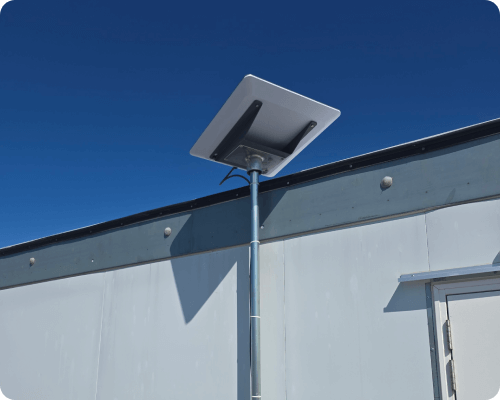
You could have the absolute best mesh gear money can buy sitting in your sitting room, but it means absolutely nothing if the dish outside is struggling. That rectangular unit needs a massive, completely clear view of the open sky to easily lock onto those fast-moving satellites passing overhead. We always advise double-checking your immediate surroundings for obvious signal blockers that cause frustrating connection drops.
Look out for tall trees or neighbouring farm buildings casting problematic shadows over your equipment. All it takes is one heavy tree branch blowing around in the wind to completely freeze your screen right in the middle of an important Zoom meeting. We highly recommend mounting the dish as high as physically possible, firmly bolting the bracket to solid blockwork to prevent wind vibration.
Smart Placement of Internal Nodes
To get the absolute best performance from your new investment, carefully follow specific placement rules for your secondary indoor nodes. We always suggest keeping your wireless mesh units safely elevated on wooden shelves or tall tables, rather than unthinkingly hiding them under the sitting room sofa. Position these nodes in direct line of sight with open hallways to help the wireless signal flow smoothly around the entire house.
Ensure your secondary nodes are not placed too far apart, as they need a reasonably strong overlapping connection to seamlessly communicate. Avoid placing delicate networking gear directly next to baby monitors, microwaves, or massive metal appliances like large American-style fridge freezers. Keeping the essential broadcasting equipment far away from heavy steel radiators completely prevents severe frequency interference throughout the day.
Protecting Your Gear During Harsh Irish Winters
Living in rural Ireland means we are no strangers to wild Atlantic storms and sudden winter power cuts. When you invest in premium networking hardware, protecting it from nasty electrical surges is an absolute must for peace of mind. We strongly advise plugging your expensive mesh nodes and main power supply directly into a high-quality surge protector.
A sudden lightning strike or grid fluctuation can instantly fry delicate internal components, leaving your family completely disconnected. Investing in an Uninterruptible Power Supply is an incredibly smart move for remote workers. It gives you enough battery time to safely save your vital work and properly shut down your expensive equipment during a blackout.
Frequently Asked Questions
Q. Will a new mesh system magically increase my actual broadband speed?
A. An aftermarket system cannot increase the baseline internet speed coming directly from the satellites to your roof dish. However, it brilliantly ensures that your maximum potential speed is efficiently distributed to every single corner of your house without any frustrating degradation.
Q. Is Bypass Mode permanent, or can I easily reverse the network settings?
A. Activating Bypass Mode in the official mobile application is completely reversible, so you never need to worry about ruining your expensive hardware. If your new aftermarket gear ever fails, simply perform a quick factory reset on the default unit to restore its original WiFi capabilities flawlessly.
Q. Can I just use a cheap WiFi extender instead of a costly mesh system?
A. While a cheap plug-in extender might seem like a brilliant bargain, we strongly advise against using them with high-speed satellite connections. Extenders simply grab an already weak signal and awkwardly repeat it, cutting your broadband speeds entirely in half and causing massive buffering.
Q. Do I genuinely need a professional to install my aftermarket network?
A. While the basic app setup is straightforward, safely drilling holes through thick stone walls and routing weatherproof cables requires trade expertise. Leaving the tricky bits to a local crew guarantees your expensive new dish won’t blow into the next parish during a heavy winter gale. It completely removes the headache of DIY tech and guarantees your whole house gets those blazing-fast speeds straight away.
Conclusion
At the end of the day, the standard box that gets dropped at your front door has everything you technically need to get online straight away. But if you actually want to blast those incredible broadband speeds into every single room, upgrading your own hardware is the real trick. The default equipment is undeniably a fantastic starting point, but it simply cannot consistently punch through the thick, solid walls commonly found in traditional Irish homes.
Investing in a proper aftermarket mesh setup guarantees you consistently get the brilliant, uninterrupted connection you pay for every month. We know exactly how important reliable internet is for rural families, which is why we handle the tricky installations from start to finish. If you are absolutely sick of dodging dead zones and just want a brilliant connection in every single room, give our local team a shout today. Just drop by https://www.smartsatconnect.ie/ to book a quick chat with us, and we will get your home properly sorted out.

