
What Comes in Starlink Standard Kit? Everything You Need to Know
Living out in rural Ireland with a broadband connection that drops every time it rains is pure torture. You pay a small fortune every single month for the internet that barely lets you send a simple work email. You are likely asking what comes in the Starlink standard kit to fix this massive headache once and for all.
Getting that heavy delivery box handed to you by the courier at your front door is a brilliant feeling. However, it can also feel daunting when you finally cut the packing tape open to reveal the sleek dish, base stand, Wi-Fi router, and connection cables inside. You might need to be an absolute technology wizard to get the whole system up and running.
The brilliant news is that the company has made the entire setup process incredibly straightforward for absolutely everyone. You will not need to run into the local hardware shop in town for extra bits and bobs. Everything you need to get your house online is right there in the box waiting for you.
The Reality of Rural Irish Broadband and what comes in the Starlink kit to Fix It
For years, families living outside the main towns have been totally forgotten by traditional broadband providers. You are stuck relying on ancient copper lines that cannot handle modern internet speeds. It is an absolute nightmare when you are trying to work from home, and the connection drops during an important meeting.
Even 4G mobile dongles are completely useless if your house sits in a rural valley or dip. This poor infrastructure turns simple tasks like online banking into a massive, stressful chore. Satellite internet changes everything by beaming a high-speed signal straight down from space to your exact location.
To bypass that broken local network completely, you get an all-in-one hardware package delivered directly to your door. When you look at exactly what comes in Starlink kit boxes, you will find a weatherproof dish, a Wi-Fi router, and sturdy cables. It gives you city-level speeds down the quietest country boreen.
Exploring the Starlink Standard Kit Contents
The layout inside the delivery box is designed to guide you from the moment you open it. There are large, simple illustrations printed right on the cardboard to show you exactly what to do first. Let us dive deep into the Starlink standard kit contents so you know exactly what is waiting for you.
You will immediately see that there are very few loose parts to worry about dropping or losing. There are no tiny screws, no confusing brackets, and no bags of unidentifiable plastic clips to decipher. Everything is pre-assembled as much as humanly possible to save you valuable time and frustration.
Taking a Look at the Main Dish
The star of the entire show is obviously the main receiver dish itself. If you have seen the older models in the past, you might be expecting a big, round, bulky dish. However, the newest version in the standard box is a very sleek, flat, rectangular panel.
It looks incredibly sharp and modern, and it is far less intrusive than an old television dish. The surface is smooth and clean, designed to face up towards the sky to catch the satellite signals. It is an incredibly clever piece of technology that does all the heavy lifting for your internet connection.
How the Dish Handles Our Wild Weather
Now, living in Ireland means we have to deal with some seriously miserable weather throughout the year. From the howling Atlantic gales in the west to the bitter, freezing frost in the midlands, our gear takes a beating. You might be worried about leaving such an expensive piece of technology outside in the lashing rain.
Thankfully, the dish is built as tough as nails to withstand the absolute worst of the Irish climate. It is completely waterproof, dustproof, and designed to operate perfectly in extreme temperatures without a single bother.
It even features a highly intelligent built-in heating system for those freezing winter mornings. If it senses snow or thick frost building up on the surface, it gently warms up to melt it all away. This ensures your connection stays crystal clear, no matter what the weather forecast throws at you.
Understanding What Comes in the Starlink Kit for Mounting
You obviously cannot just leave your brand-new, expensive dish flapping around loose on the wet grass. That is why you need to know exactly what comes in Starlink kit boxes to keep them upright and secure. Right underneath the dish, you will find a sturdy, four-legged base stand.
This mount is made from strong materials and is designed like a simple kickstand for the dish. The main pole of the dish clicks directly into this base without the need for any spanners or screwdrivers. It holds the panel at the perfect, precise angle required to scan the sky for passing satellites.
Why You Might Need a Permanent Mount
If you are doing a temporary setup on your patio to test the speeds, this stand is absolutely grand. It is perfect for a quick, ground-level installation on your first day of receiving the box. However, let us be realistic, leaving it on the ground permanently is not the safest long-term idea.
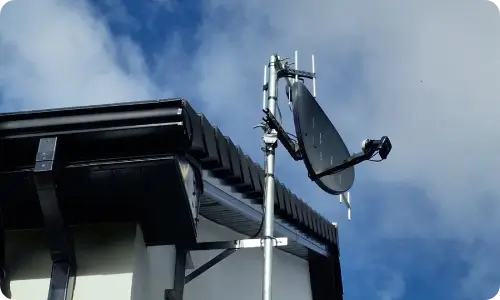
You risk the dish getting knocked over by a strong gust of wind, a stray football, or the family dog. To get the best possible, uninterrupted signal, you really need to mount it high up with a clear view. This means putting it on a chimney, a gable wall, or a flat roof away from tall trees.
The standard ground stand is not meant for bolting to a roof or a vertical brick wall. For a proper, permanent, and safe installation, you will need to look into specialized mounting brackets. This is exactly where the expert installation team at Smart Sat Connect can step in and sort you out.
The High-Speed Wi-Fi Router
Once you have the outside equipment sorted, you need to bring that lightning-fast connection indoors. Tucked away in the bottom of the box is your brand new Wi-Fi router. It is a neat, minimalist white box that looks quite modern and stylish sitting on a hall table.
This is not a cheap, basic router like the ones the old telecom companies used to give out for free. It uses modern Wi-Fi 6 technology, which is incredibly powerful and efficient for busy households. It is designed to easily blast a strong wireless signal through standard walls and across multiple rooms.
Connecting All Your Family Devices
In a modern Irish home, everyone is fighting for bandwidth at the exact same time. You might be trying to hold a Zoom meeting while the kids are playing games online or streaming Netflix upstairs. This new router is more than capable of handling dozens of devices simultaneously without slowing down or buffering.
It also features two Ethernet ports tucked neatly away on the back panel under a small protective cover. This is absolutely brilliant if you prefer to hardwire your main smart television or a gaming console. Hardwiring gives you the most stable, reliable connection possible by bypassing the wireless signal completely.
The Important Power and Data Cables
You have the dish outside and the router inside, but they need to talk to each other. To make this happen, the company includes a very specific, heavy-duty custom cable in the box. This standard cable is roughly 15 metres long, which is a fantastic length for a typical house.
This cable is the absolute lifeline of the entire operation and does two massive jobs at once. It carries the electrical power out to the dish, and it carries the high-speed data back inside. It is thickly insulated to protect it from the elements and everyday wear and tear.
Routing the Cable Into Your Home
When you are running this cable from the outside in, you need to take your time and be careful. You want to make sure it does not get pinched in a tight window hinge or crushed under a door. Damaging this cable will instantly knock out your internet, and you will have to order an expensive replacement.
If you live in a very large farmhouse, 15 metres may not be enough length. Sometimes the only spot with a clear view of the sky is right down at the very bottom of the garden. Do not worry if you need more length, as longer cables are readily available to purchase if needed.
Your Complete Starlink Kit Components List
To make things incredibly easy to understand, let us break down everything we just talked about. Here is your complete Starlink kit components list so you can easily check everything off as you unpack:
- The flat rectangular dish that acts as your main outdoor satellite receiver.
- A sturdy, four-legged base stands for resting the dish securely on the ground.
- The modern Wi-Fi 6 router spreads the wireless internet signal around your house.
- A thick, durable 15-metre data cable to connect the outdoor dish to the indoor router.
- A standard AC power cable with an Irish plug to connect the router to the mains electricity.
- Simple, picture-based quick start documentation to safely guide you through the initial unpacking.
Downloading the Official Mobile App
Before you go plugging anything into the wall, you need to grab your smartphone. You will want to download the official mobile app from your app store, which is completely free to use. This app is going to be your absolute best friend during the entire setup process.
It is incredibly user-friendly and helps you manage your entire home network right from your pocket. You can check your download speeds, see exactly who is connected to the Wi-Fi, and easily reboot the system. It takes all the guesswork out of managing a high-tech broadband connection.
Finding the Perfect Spot in Your Garden
The absolute best feature of the app is the brilliant built-in obstruction scanner tool. You point your phone’s camera up at the sky while standing outside in your garden. The app will visually scan the area and tell you if any trees or buildings are blocking the signal.
Even a few leafy branches swaying in the wind can cause your connection to drop momentarily. Finding a spot with a completely clear, wide-open view of the northern sky is incredibly important. The app guarantees you find the perfect location before you start drilling holes or running long cables.
The Official Starlink Setup Guide
Getting your new broadband up and running is genuinely a piece of cake for absolutely anyone. You do not need to wait weeks on end for an expensive engineer to arrive in a van, finally.
Just follow this simple Starlink setup guide to get yourself online today:
Step 1: Use the mobile app to find a clear spot outside with an unobstructed view of the sky.
Step 2: Assemble the main dish by slotting the pole securely down into the provided base stand.
Step 3: Plug the long 15-metre cable directly into the dish and route it carefully inside your house.
Step 4: Connect the other end of that long cable straight into the back of your new Wi-Fi router.
Step 5: Plug the router directly into a standard wall socket using the included power supply cable.
Step 6: Open the app on your phone and follow the on-screen prompts to create your new Wi-Fi password.
Frequently Asked Questions
It is totally normal to have a few questions before making the big switch to satellite internet. Here are some of the most common questions people in Ireland ask before buying their new system.
- Do I need to buy a separate router from a computer shop?
- No, the standard box includes a very high-quality Wi-Fi router right out of the box. It is powerful enough to cover most standard-sized Irish homes without any hassle or extra expense.
- Is the included cable long enough for my two-story house?
- For a typical, basic setup, the included 15-metre cable is plenty of length to get inside. If you need to mount it far away, much longer replacement cables are easily available to buy.
- Can I leave the dish sitting on the ground permanently?
- While the included stand is great for the ground, it is much safer to mount it up high. The lads at Smart Sat Connect can help you arrange a permanent, secure roof mount.
- Will the harsh Irish weather damage my brand-new dish?
- Not at all, as the dish is completely weatherproof and even features a clever built-in heater. It will automatically melt away snow and thick ice during our freezing winter mornings.
- Do I need an IT professional to install it for me?
- The system is designed to be plug-and-play, meaning anyone can easily do the basic garden setup. However, for a neat, permanent installation on your roof, professional help is highly recommended.
- Does the standard equipment come with a proper warranty?
- Yes, the equipment comes with a solid manufacturer’s warranty for your complete peace of mind. It covers any unexpected hardware faults that might pop up down the line.
Conclusion
Getting a reliable internet connection out in the beautiful Irish countryside should not feel like winning the lottery. The standard box provides absolutely everything you need to say goodbye to spinning loading screens, finally. It is a straightforward solution that genuinely delivers high speeds without the usual rural hassle.
It is time to stop paying good money for terrible broadband and bring your home into the modern digital age. You deserve to work, stream, and relax online without constant interruptions driving you completely mad. Give the expert team at Smart Sat Connect a shout today, and let us get your flawless installation sorted!

